This is in regards to using a Carlson RT5 / RTk5 tablet to connect to a robotic instrument using the long range bluetooth in the tablet:
- In Equip / Total Station under the Comms tab set it to the values below:
- Type: Bluetooth
- BT Type: Long Range (FSC)
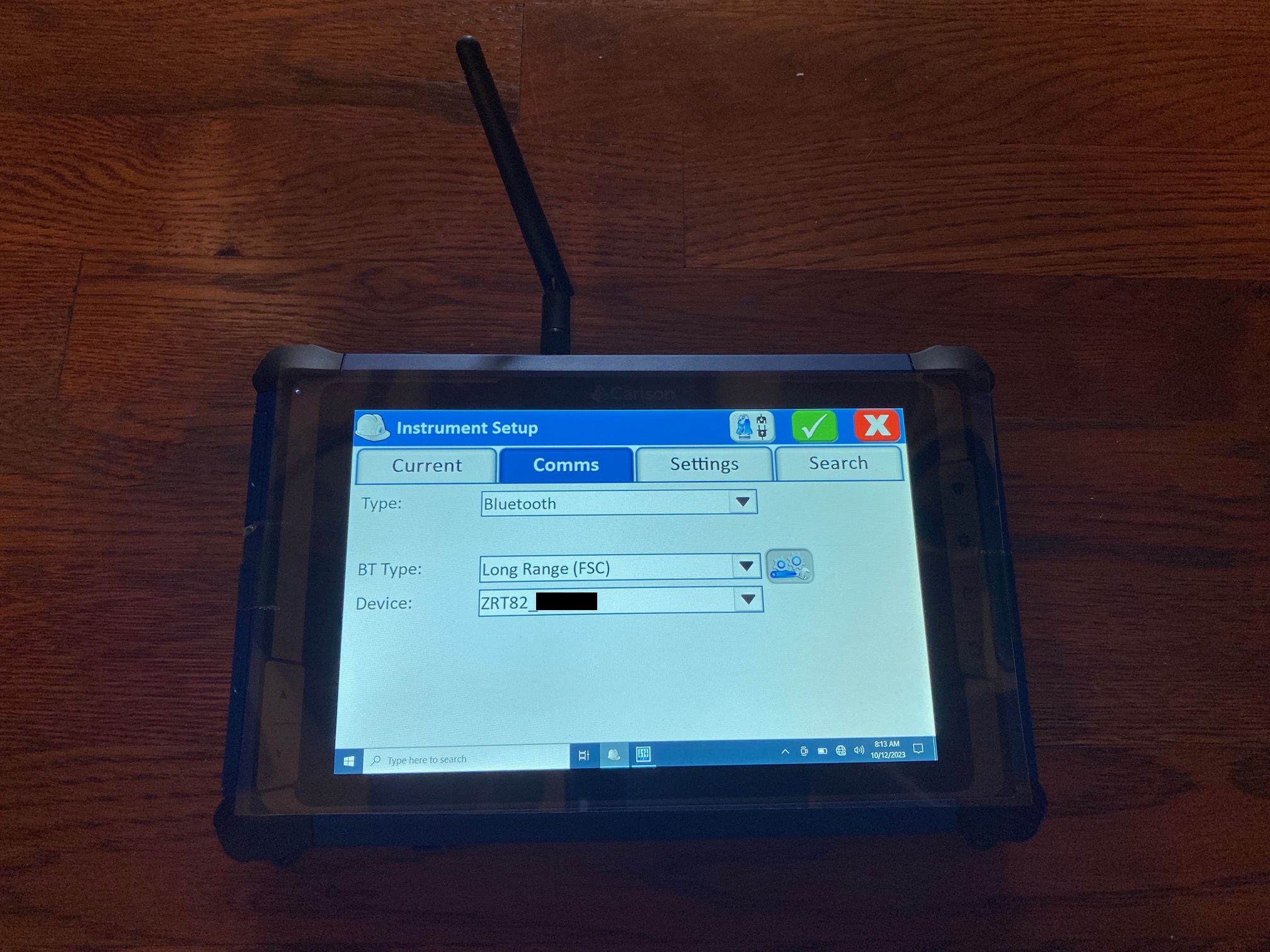
- Attach the shorter round Bluetooth antenna to the top of the tablet.
- Power on your Robot and unfold the Bluetooth Antenna from the top of the radio handle so it is pointing straight up.
- Then tap the "wrenches" icon next to "BT Type: Long Range (FSC)" and tap "Find Device" to search for the ZRT or RH radio handle device.
- Tap on the Radio Handle in the list to select it then tap the green check in the top right.
- Tap the "Bluetooth" plug icon in the top right.
- Tap the Green Check to save these changes and connect to your Robotic instrument.