To see which modules are being used you will need to:
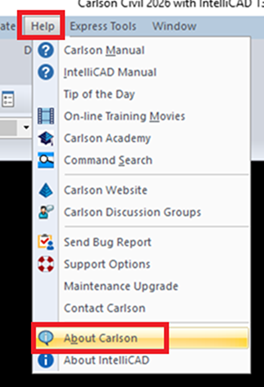
- click on the Help drop-down.
- Select About Carlson.
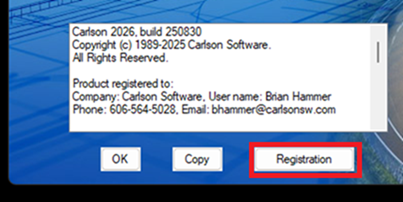
This will show the program information page. - Click on the Registration button.
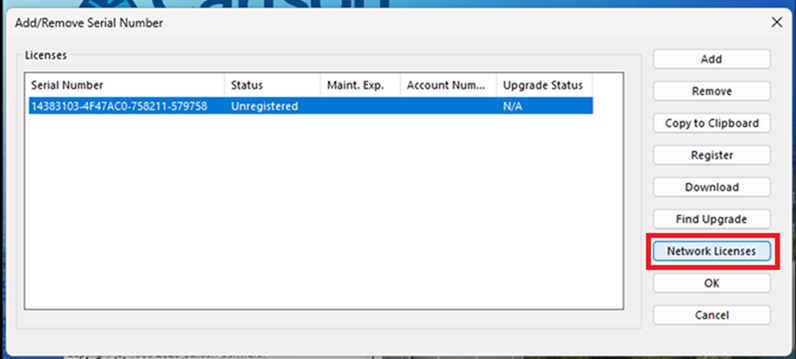
- Highlight the serial number and then click on Network Licenses.
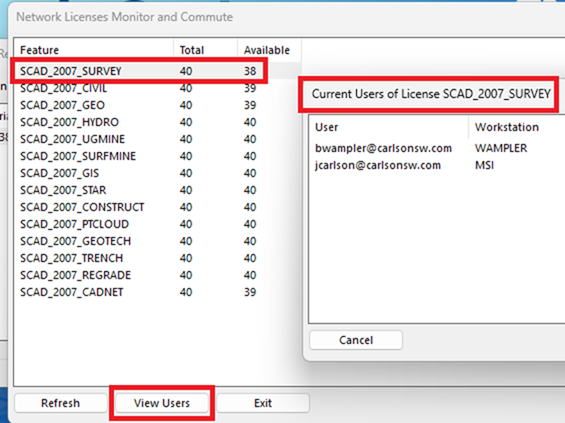
You will be shown a list of the modules, their total number, and how many seats are still available. - Highlight the module you wish to inspect. Then, click on View Users.
Links: |
Attachments: |
| C 1.png |
| C 2.png |
| C 3.png |
| C 4.png |
Keywords: |